PātakaExams

Online exams you can actually invigilate.

Build the paper, lock the devices down, watch every attempt as it happens and mark it in the same place. It was built to take over from a separate online exam service.

A recording of the exam invigilation view: a teacher opens one student's written answer and it grows as the student types, while another student submits.
A Year 11 practice exam in progress. One student's answer is open and growing as they write. Fictional students.

Locked, and proven

Safe Exam Browser on laptops, kiosk mode on school Chromebooks, and a check that the device is what it says it is.

Live, not after the fact

Time left, device, flags and last contact for every student, refreshed every few seconds.

Marked where it was sat

Objective questions mark themselves. Written answers are marked on screen, and results export for KAMAR.

01

Watch the room, not a spinner.

Every student has a row: whether they have started, how long they have left, what they are sitting it on and when the device last checked in. Pause the exam for everyone, end it for everyone, or deal with one student at a time.

  • Add time for one student
  • Submit or void a single attempt
  • Reopen an attempt that has been submitted
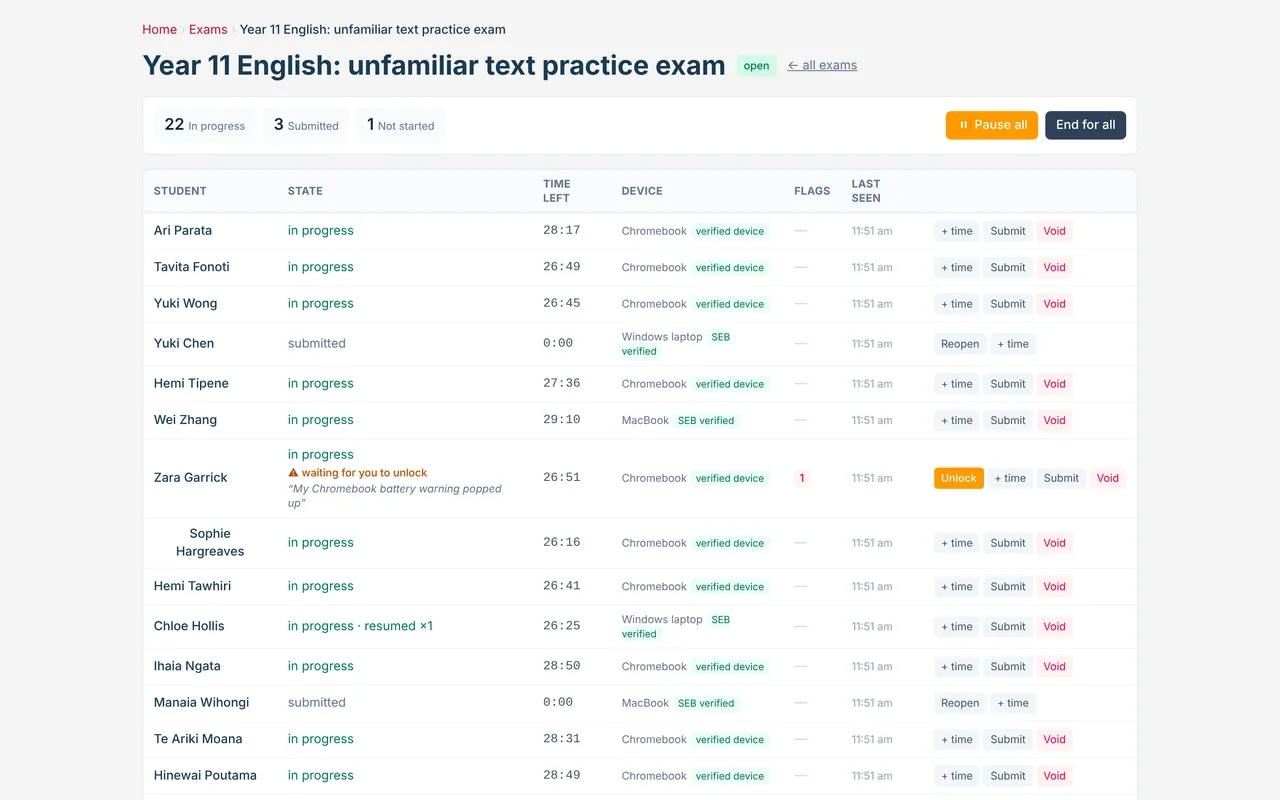
The exam monitor: 22 in progress, 3 submitted, 1 not started, and a table of students with state, time left, device and actions.
02

Read an answer while it is being written.

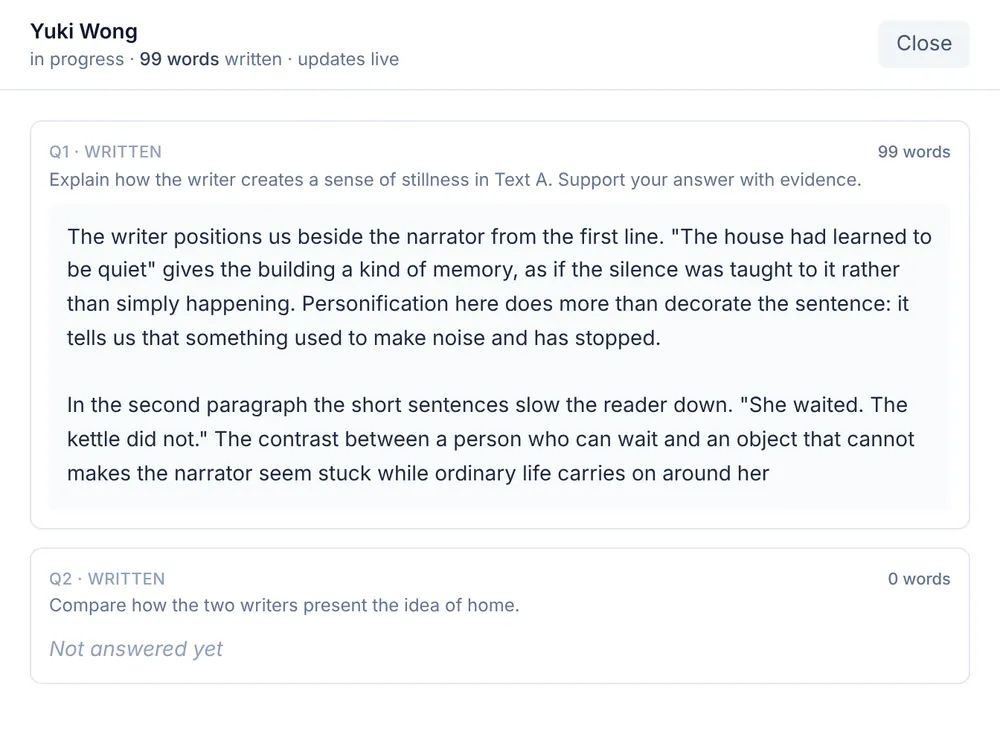
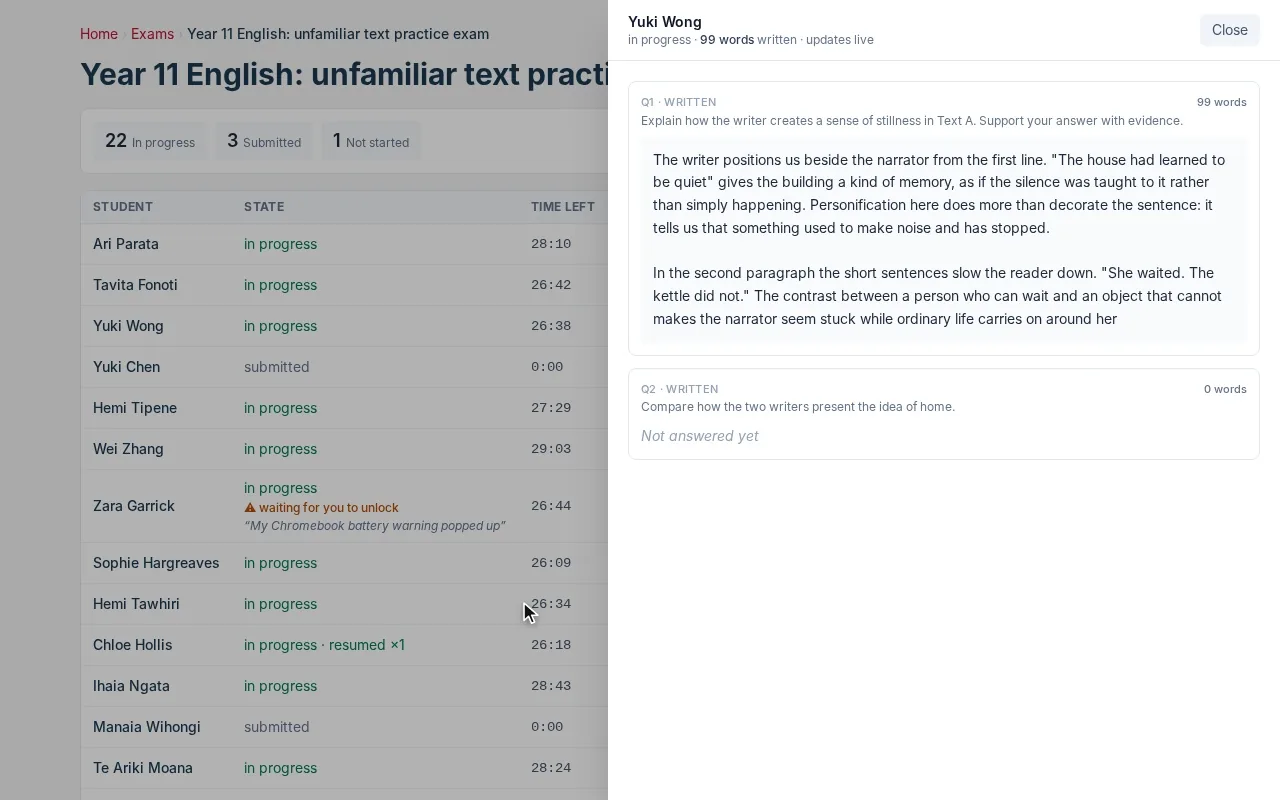
Open any student to see what they have written so far, with a running word count. It refreshes every few seconds, so you can see progress and spot who is stuck.

A student's work open beside the monitor: a written answer of about a hundred words to a question on an unfamiliar text, marked as updating live.
03

Devices that are proven locked, not promised.

On laptops the exam runs in Safe Exam Browser. On school Chromebooks it runs in kiosk mode, and the device proves that it is managed by the school and has not been switched into developer mode.

A student who leaves the exam is locked out until they say why, and the teacher decides whether to let them back in.

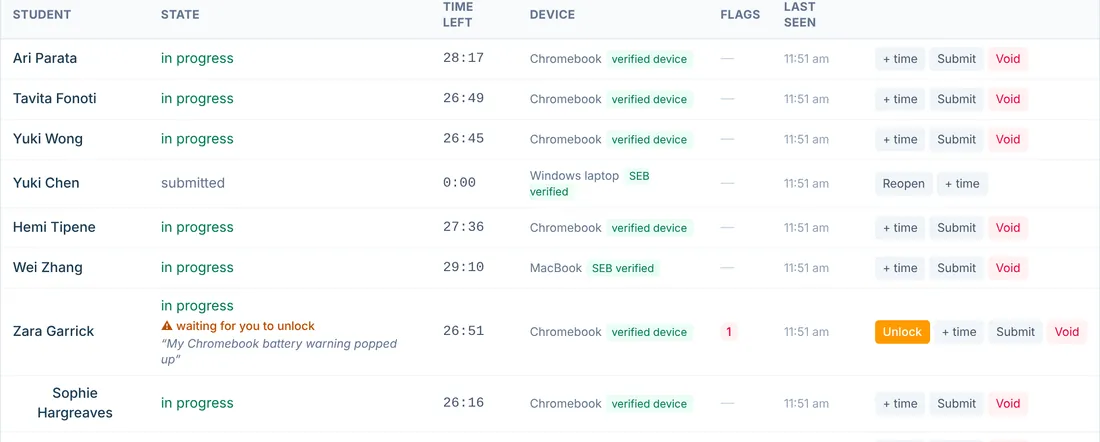
  • Each device tagged as verified, or not, beside the student
  • Developer mode called out in red
  • Every exit counted as a flag against the attempt
Part of the exam monitor: devices tagged verified or SEB verified, and one student waiting for the teacher to unlock them after a battery warning.

Building, marking and the rest.

Ten kinds of question

Multiple choice, select all, true or false, number answer, written answer, fill the gaps, match up, put in order and sort into groups, with information blocks between them.

Resources beside the question

Attach PDFs, images and data tables for students to work from.

Sections and windows

Split a paper into sections, group them into windows, and open or close each window when you choose.

A join code

Students get into the right exam with a code.

More than one invigilator

Add other staff to an exam, so it is not tied to one teacher.

Results out

A results table for the class, and a file ready for KAMAR.

Keep looking.

Come and see it running.

A demo is the platform itself, not a slide deck. Tell us what your school is wrestling with and we will show you the part of Pātaka that deals with it.

Book a demo