PātakaStudent tracking

See how every student is really going.

Achievement, attendance, effort and pastoral notes come out of KAMAR and into one view. Start at the whole school and end at one student, without opening a spreadsheet on the way.

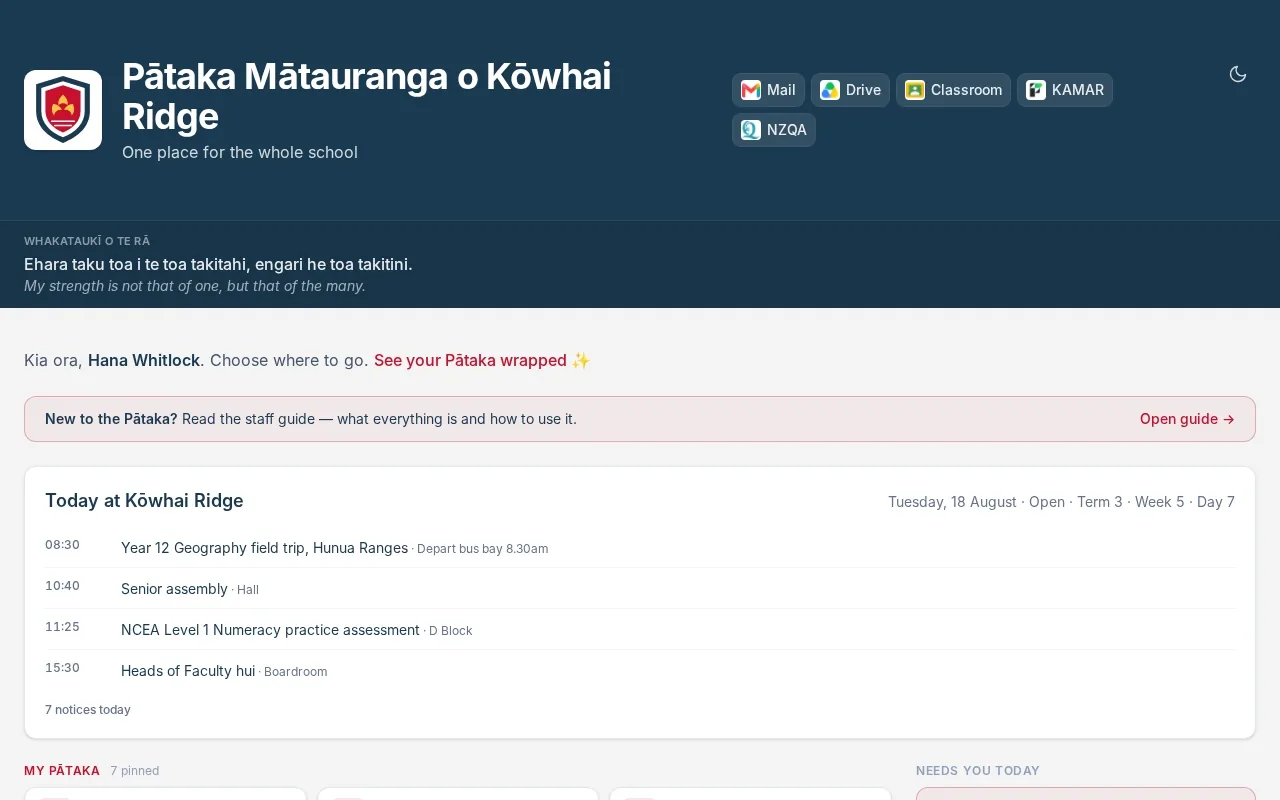
A recording of Pātaka: the staff home, the whole-school overview, a search for a student by name, and that student's page.
Open Tracking, search a name, read the page. A demonstration school and fictional students.

It reads KAMAR

Results, attendance, classes and pastoral entries come from the system the school already keeps up to date. Nothing is typed in twice.

Scoped to the person

A classroom teacher sees the students they teach. A head of house sees their house. Senior leaders see the school.

One scale for everyone

Attendance sits in the same four bands across the whole school, so "worrying" means one thing to everybody.

01

The whole school on one screen.

The roll, attendance over the last 30 days and the number of students in the top two risk tiers, then attendance by band for the term. Below that sit the school's goals for the year, each with its target and whether it is on pace.

  • Drill into any faculty or house
  • Each attendance band links to the students in it
  • School goals shown against their targets
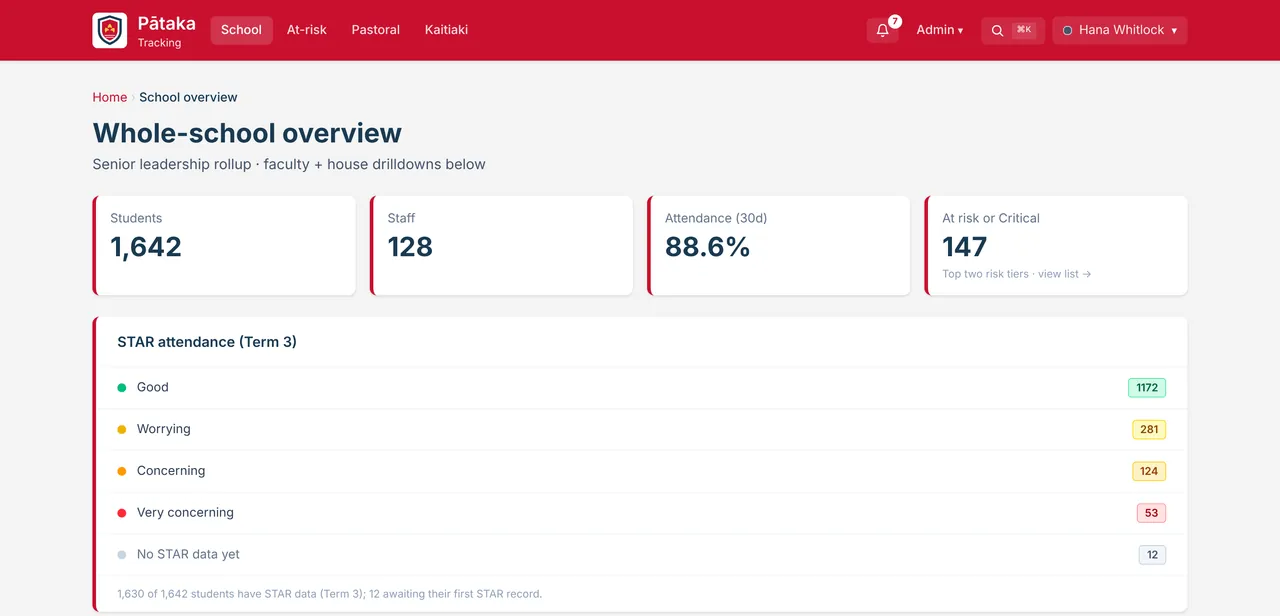
The whole-school overview: 1,642 students, 128 staff, 88.6% attendance, 147 at risk or critical, and attendance split into four bands.
02

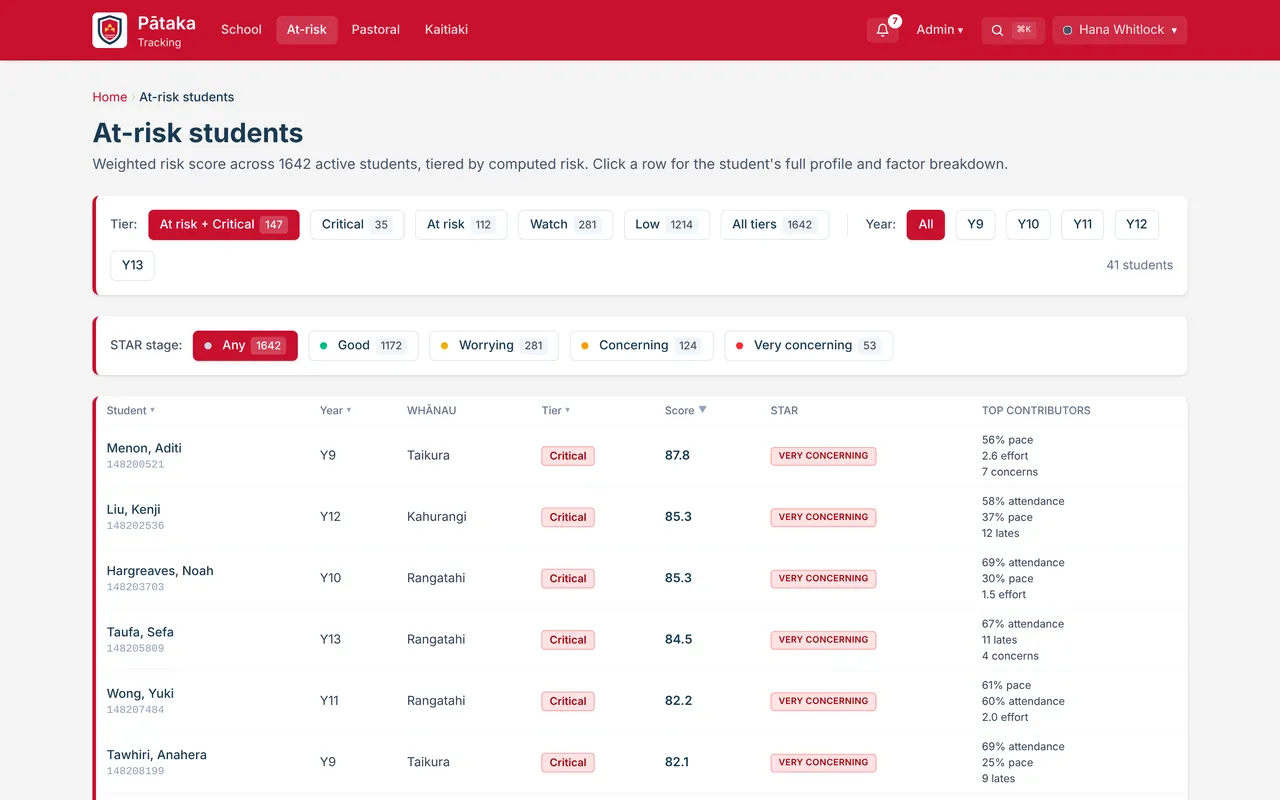
A list that says who to see first.

Every student who needs attention, ranked by score, with the things driving it beside each name. Filter by tier, year level or attendance band. Your list only ever holds your own students.

  • Four tiers: critical, at risk, watch and low
  • The top contributing factors beside every name
  • One click through to the student's page
The at-risk list: filters by tier, year level and attendance band, then students ranked by risk score with their top contributing factors.
03

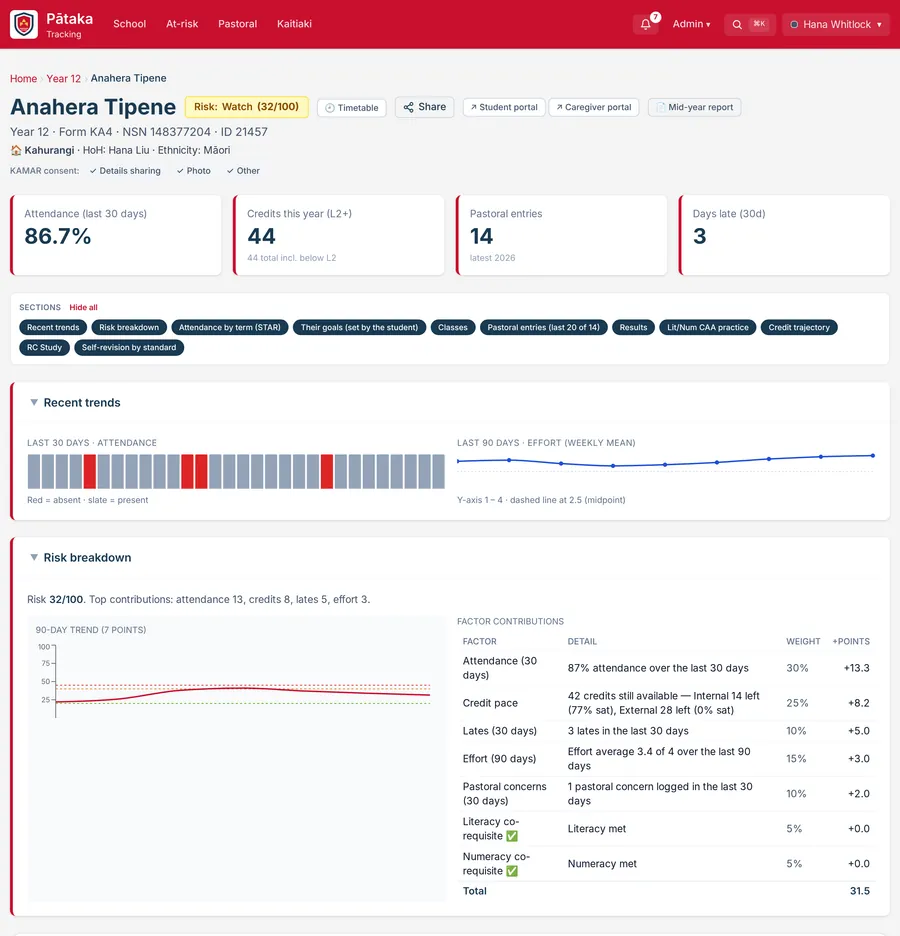
One page per student.

Search a name from anywhere with Ctrl or Cmd and K. The page that opens has a risk score that shows its working, attendance by term, the student's own goals, every class, pastoral entries, results and a credit forecast.

  • Each risk factor listed with its weight and what it added
  • Share a note with everyone who teaches them
  • Preview exactly what the student or their caregiver sees
A student's page: a risk badge, attendance, credits, pastoral entries and days late, then recent trends and a risk breakdown by factor.
04

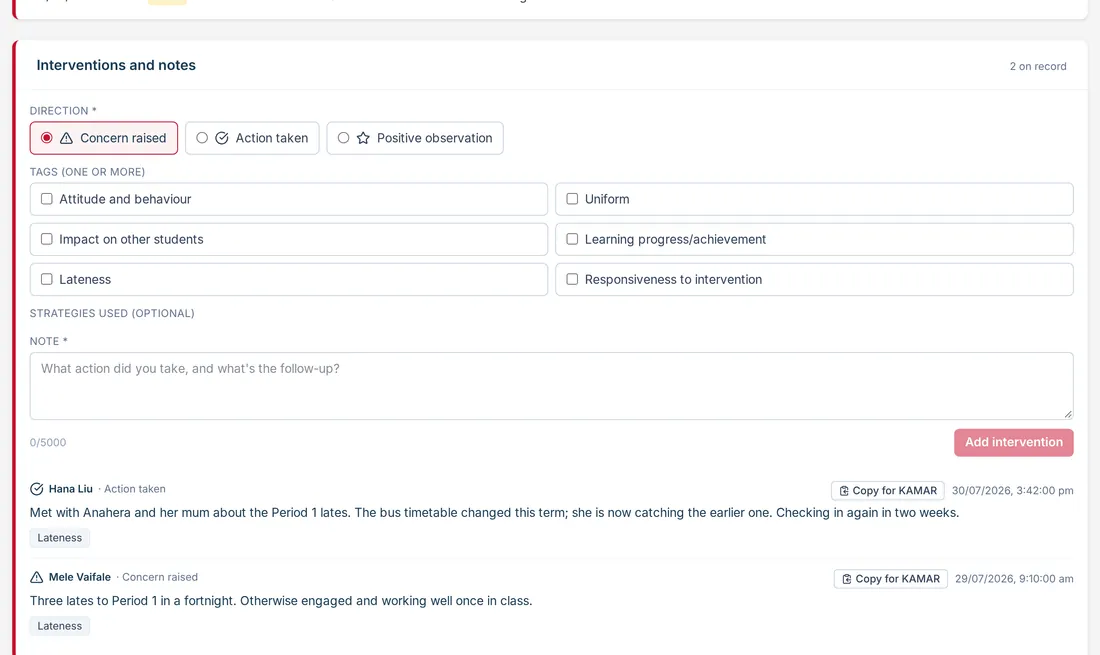
Notes that outlast a conversation.

Log a concern, an action you took or something good you noticed, tag it, and say what happens next. Everyone who works with that student sees it, and each entry can be copied across to KAMAR.

  • Concern raised, action taken or positive observation
  • Tags such as lateness, uniform and learning progress
  • Place a student on report from the same page
The interventions and notes panel on a student page: a form with direction, tags and a note, above two earlier entries from staff.

Around the student page.

Pastoral dashboard

Watchlists, interventions and follow-ups for the people who look after wellbeing.

Houses and form classes

The house view for heads of house and form teachers, with their own students in one place.

Faculties and departments

Drill into a department's standards and analytics. Heads of department and faculty see their own area.

Learning support

The learner support register, with a plain "what helps" note for each student's teachers.

Board Dashboard

Senior NCEA achievement for the board, by year, ethnicity, gender and house, with the trend.

Re-enrolment

A live check of whether students meet the criteria for the subjects they chose for next year.

Keep looking.

Come and see it running.

A demo is the platform itself, not a slide deck. Tell us what your school is wrestling with and we will show you the part of Pātaka that deals with it.

Book a demo